The Visual-based Trip Curator Platform for the New Generations
Year

2018 - 2020

overview

SNEAK is a web application platform that aims to simplify the trip planning experience. During the project, I lead Visual Design team and help establish the platform by working together with UX Designer and Founders.

services

Branding
UX Research
Wireframe
UX/UI Design
Style Guide

role

Lead Visual Designer (Branding/UI)

Client
GET SNEAK Co., td.

Awards

— 2018 Y Combinator Startup School Graduate
— 2019 TOP100 APAC2019 Top 7 Finalists of AEON Open Innovation Contest (Startup Edition)
— 2019 Top 15 Finalists of dtac Accelerate Batch 7
— 2019 Partner with Tourism Authority of Thailand, Stockholm Office
— 2019 1st Place at Thailand's MICE Startup by TCEB and ImpacTech
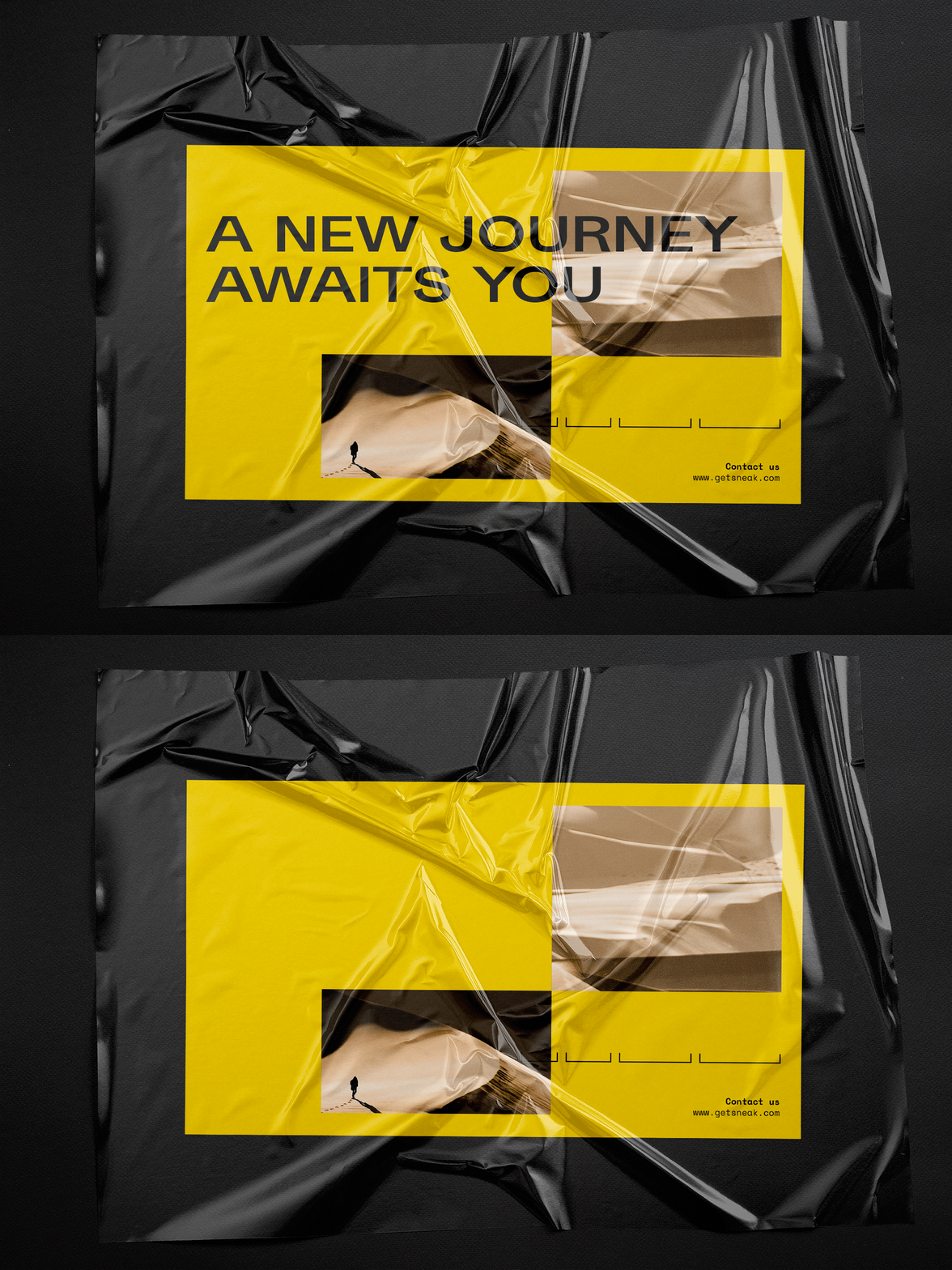
SNEAK is a digital platform aims for being a painkiller for the-new-generation-traveler who feels trip planning is such a mundane task to get the plan done.

challenge

How might we shorten trip planning process and make it simple enough for the users to use.

Solution

The platform that provides an end-to-end trip planning experience, allowing users to pick their travel destinations before automating them into travel itineraries without a need for them to pin their locations one by one by themselves.

research

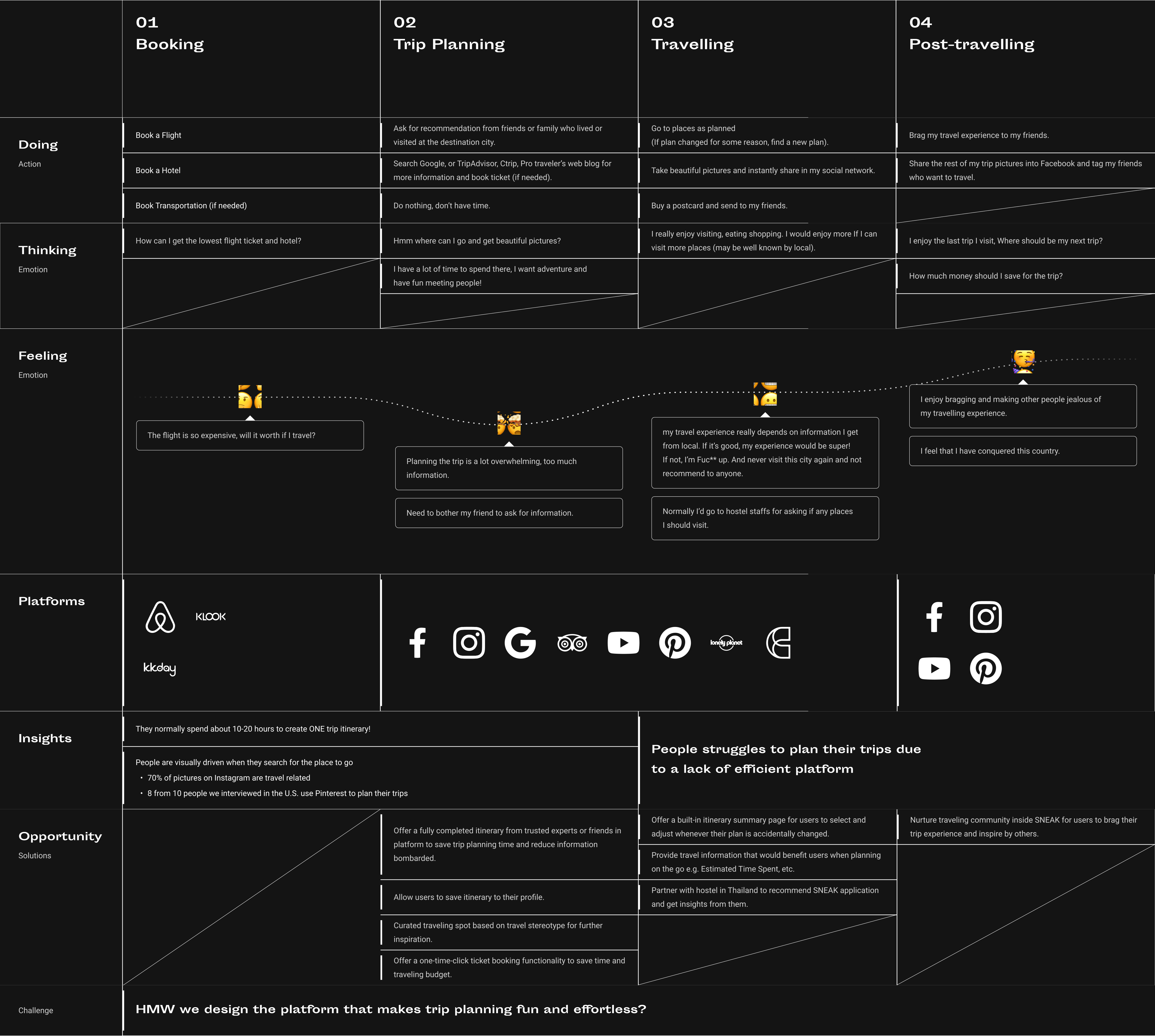
Identify Users Pain Points & Opportunities

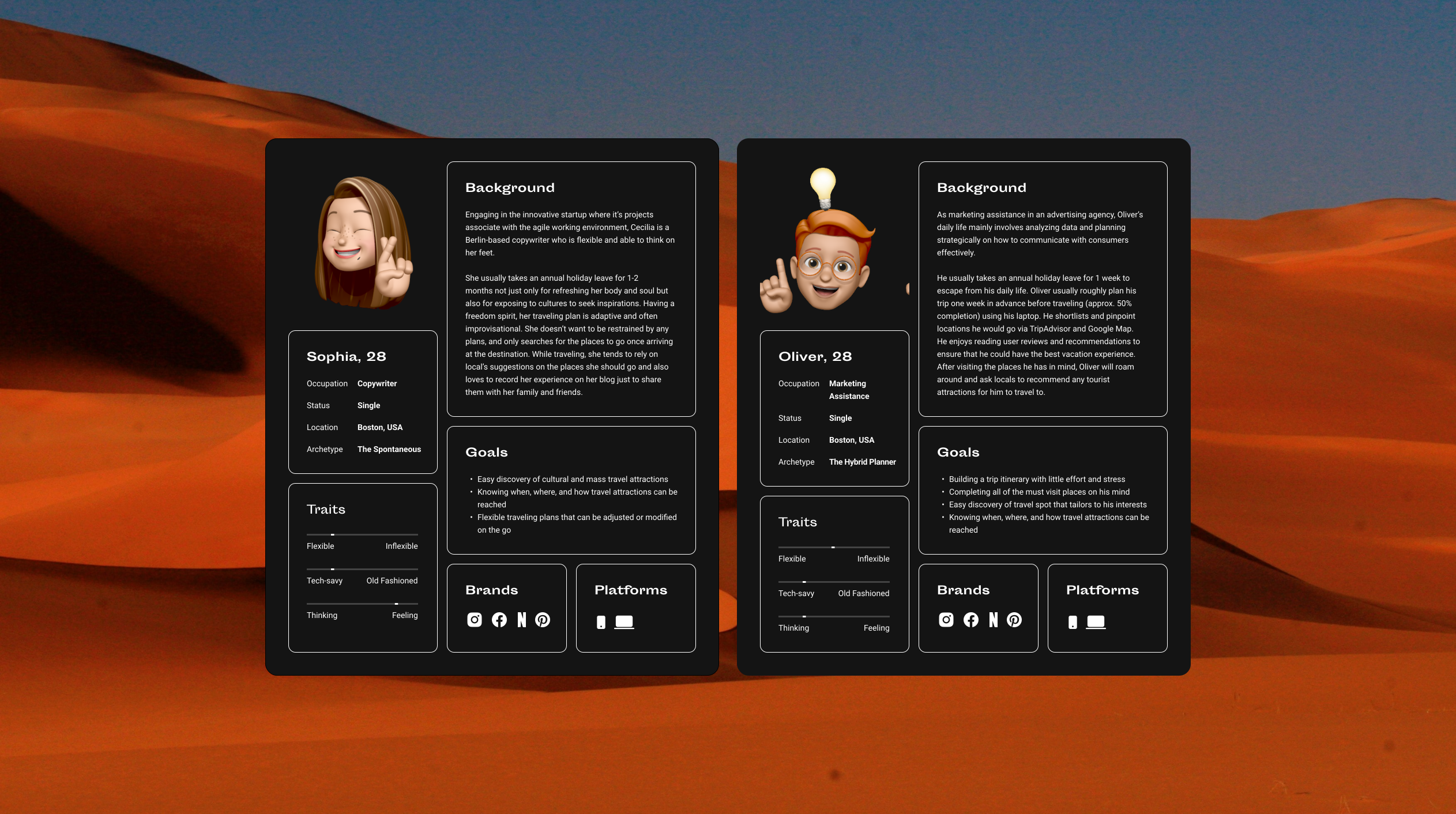
UX Research is conducted to pinpoint personas and user journey map with 10 US travelers (Gen Z and Millennials).

UX Design

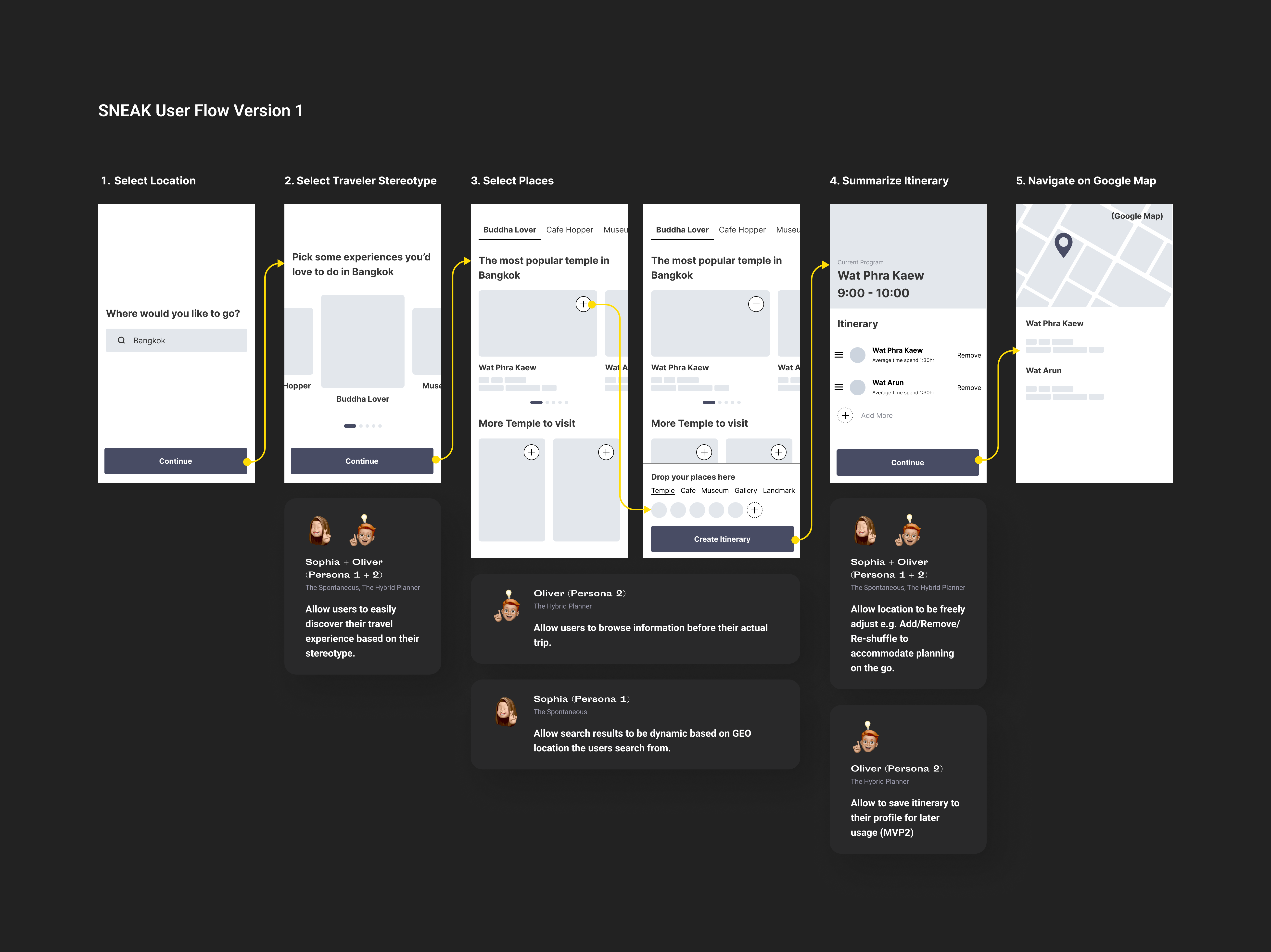
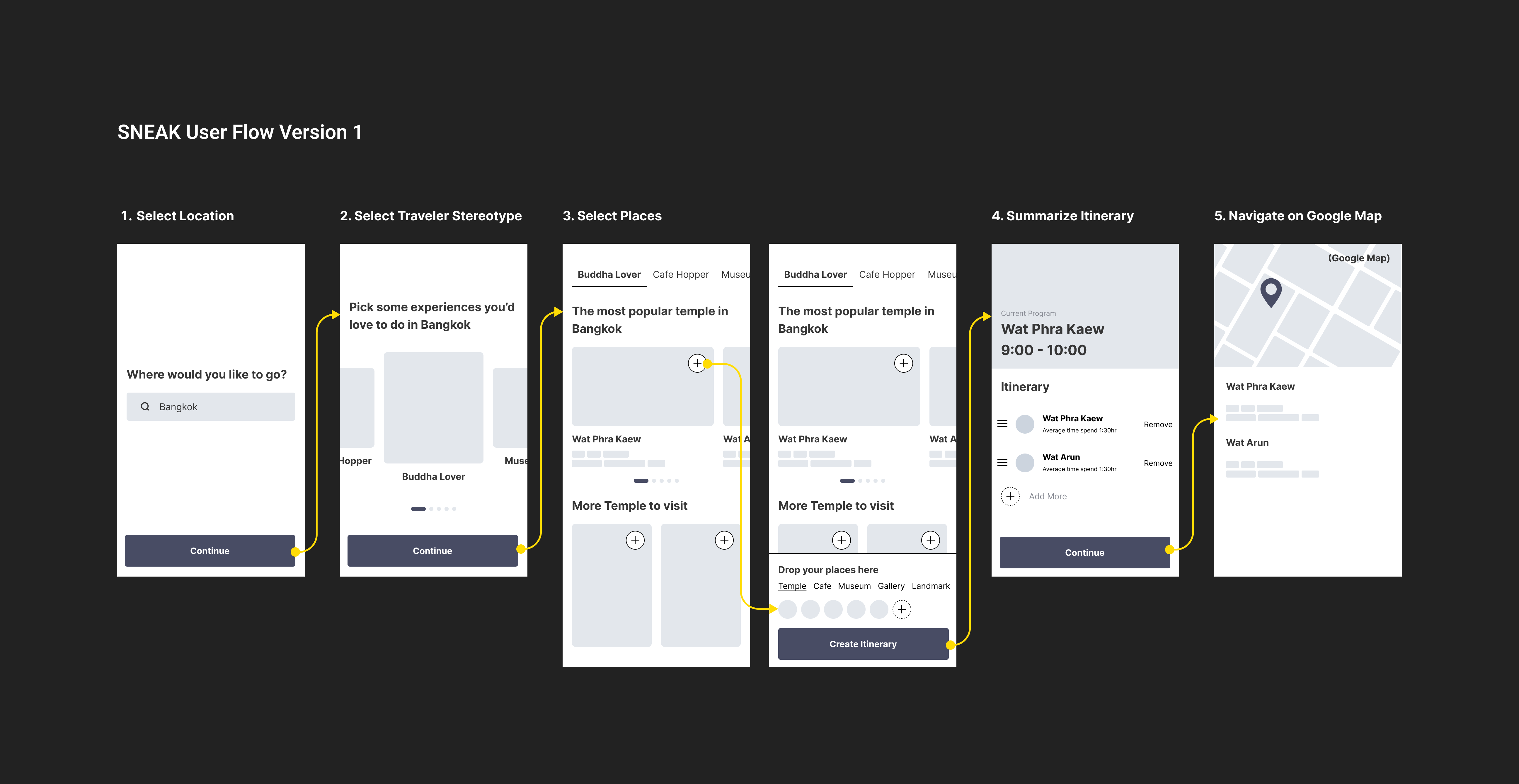
Brainstorming & Ideate User Flow

Having identified user's pain points and opportunities, we need to also pinpoint the direction of MVP1. After several brainstorming sessions, we finally gravitate towards the idea of the app being a visual-based trip planner, easily explained in short as Pinterest + Google Maps as a majority of our target users are visual learners according to our preliminary research.

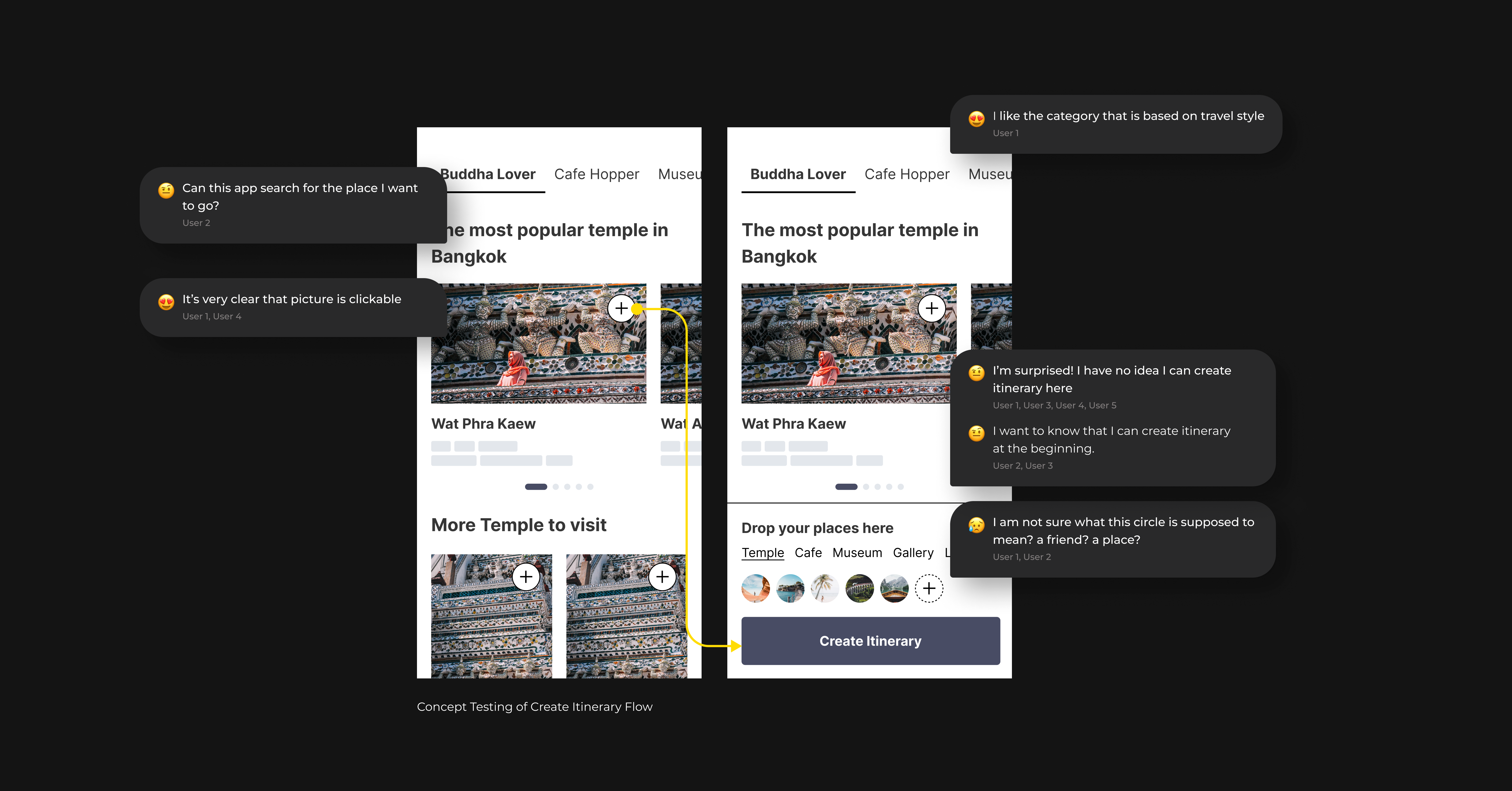
Now that we have some ideas of how our main flow will be, we then go to validate with the users using Concept Testing with a prototype.

In total, we have tested with 6 U.S. users. Our key objectives for this testing are as follows

concept testing key objectives
01

The Entire Main Flow

To see how the users think of our flow in general

02

Create Itinerary Flow

To test if the users are able to understand how to build an itinerary in the current flow

03

Select Places & Itinerary Summary Page

To test the if the users understand the design of these 2 pages

ux ITERATION 1

Re-Iterate The Entire Main Flow

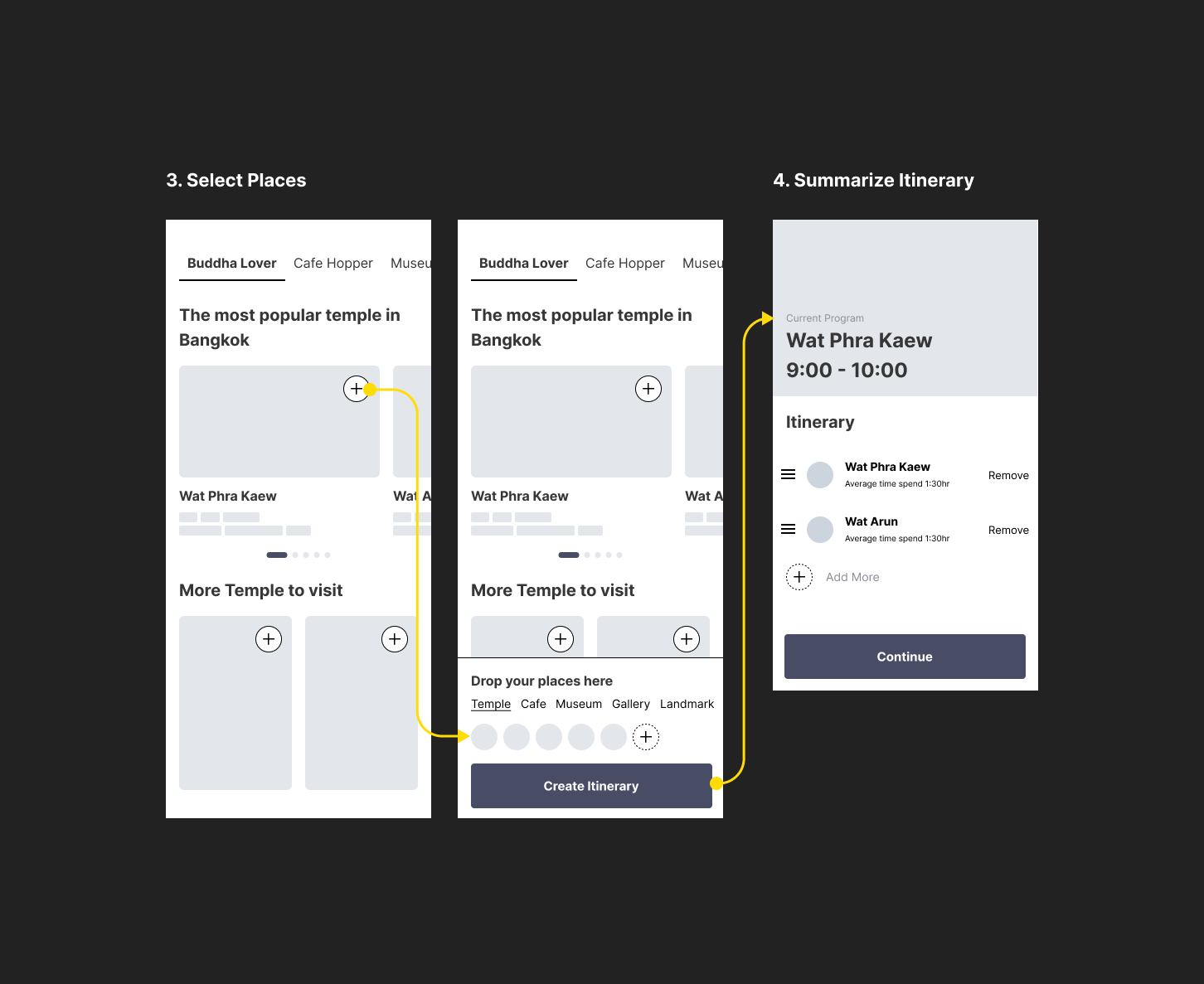
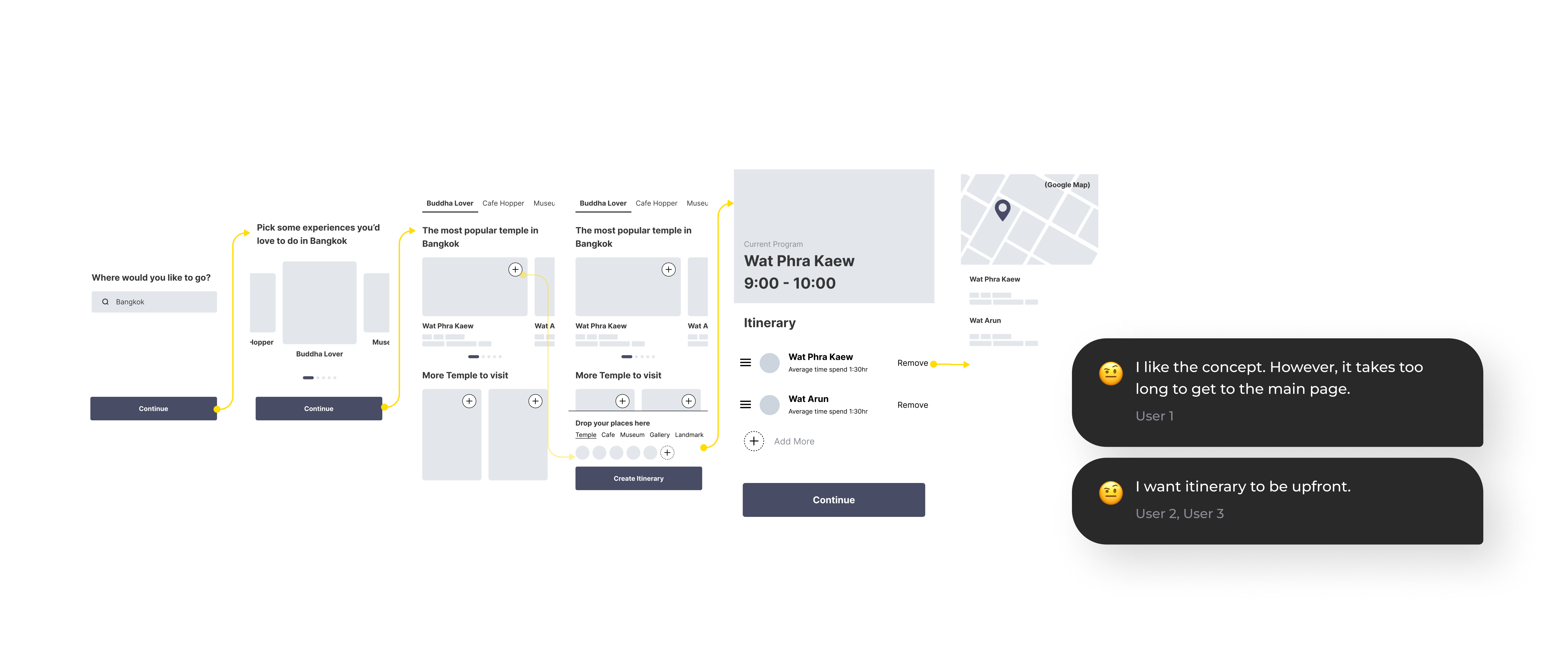
According to our Concept Testing, turning out the users understand our design concept quite clearly. However, majority of them think it took too much time to get to the Itinerary page which they see as the main page.

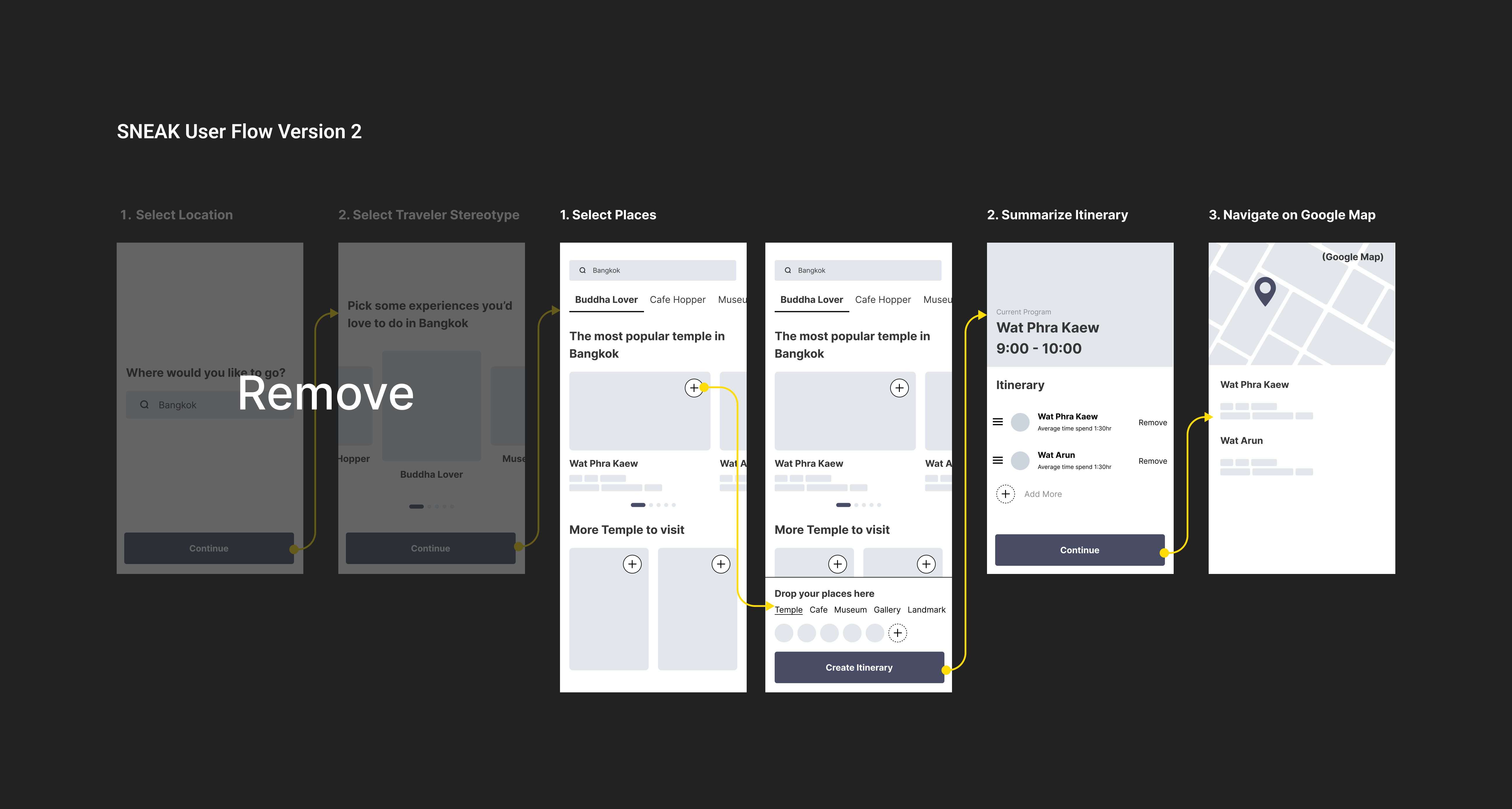
As a result, we decided to shorten the flow by:

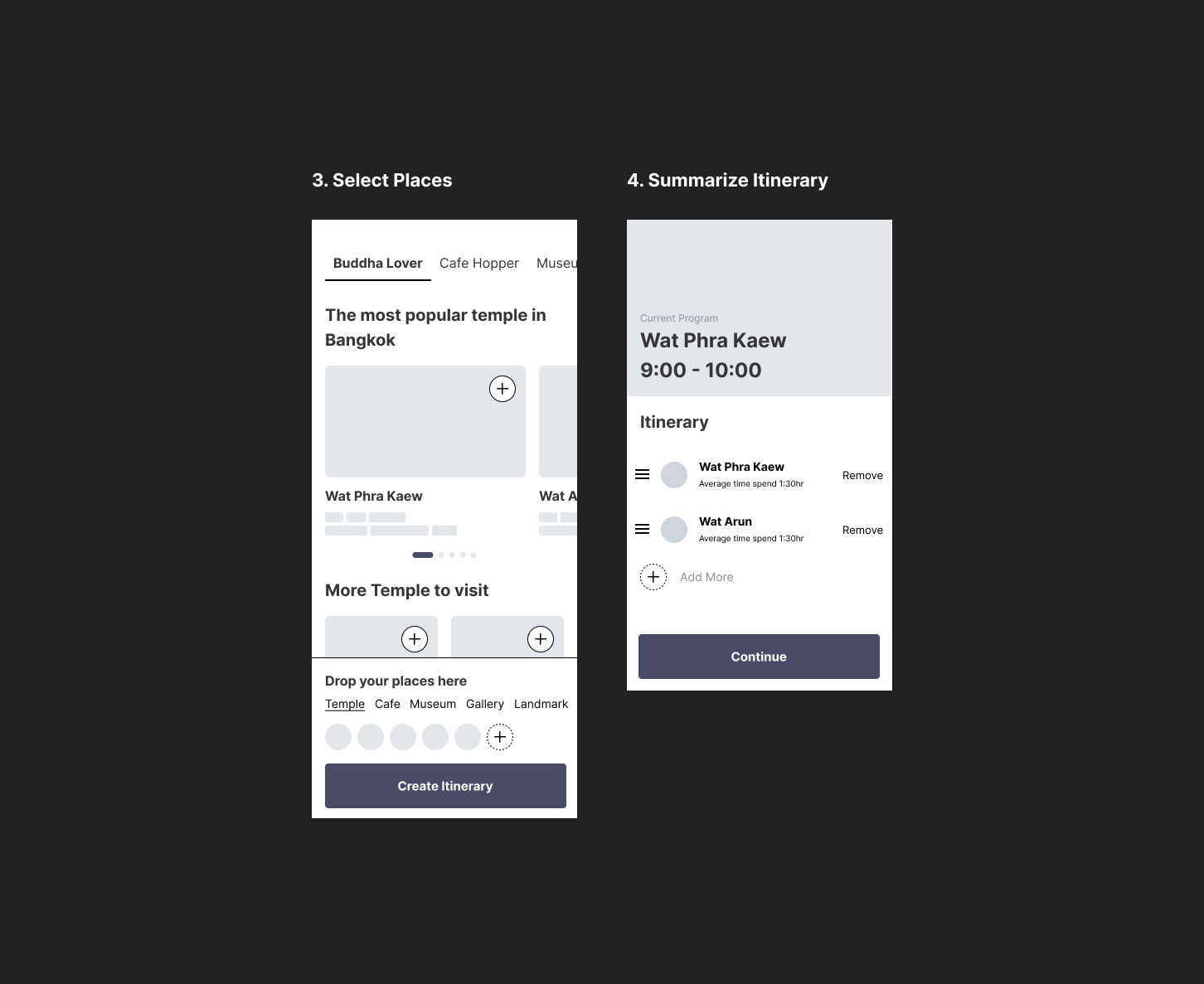
1. Merge location search to 3. Select Places page
2. Eliminate traveler stereotype page (as they will get to see them as a filter inside 3. Select Places page anyways)

ux ITERATION 2

Visually Curated Travel Board & Create Itinerary Flow

Once we've settled on the main flow, we then started to take a look on the page for users to select a place and itinerary creation flow.

The main insight we discovered during the session:

1. The users don't know they can actually pick the places and continue to the itinerary page.
2. They have no idea how the snack bar at the bottom functions.

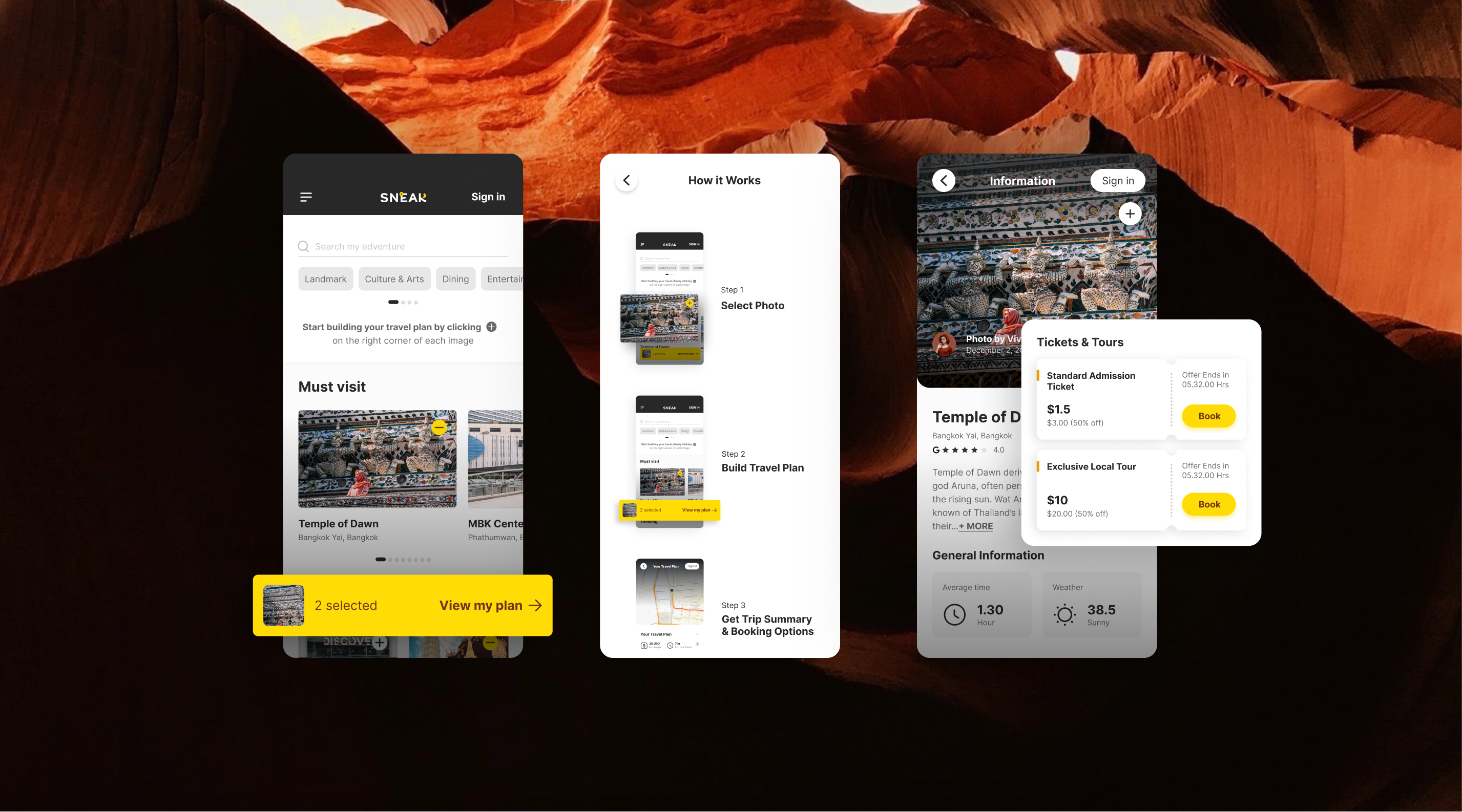
To resolve the problem, I've introduced 3 components as follows:

1. Assertive text on top of the page to educate the users on how to add the places and continue to the Itinerary page.
2. Introduce 'How it Works' page inside Hamburger Menu as a guideline.
3. Simplified the design of Snackbar by referring to those used in other applications e.g. Food Delivery App, as the users may be familiar with them already.

The final design is implemented after several trials. Overall, the page is built to serve users who are proven to be visually driven when planning a trip by incorporating curated photo galleries and grouping based on personal interest/popularity as mentioned during the Concept Testing.

ux ITERATION 3

Adjustable Itinerary Page

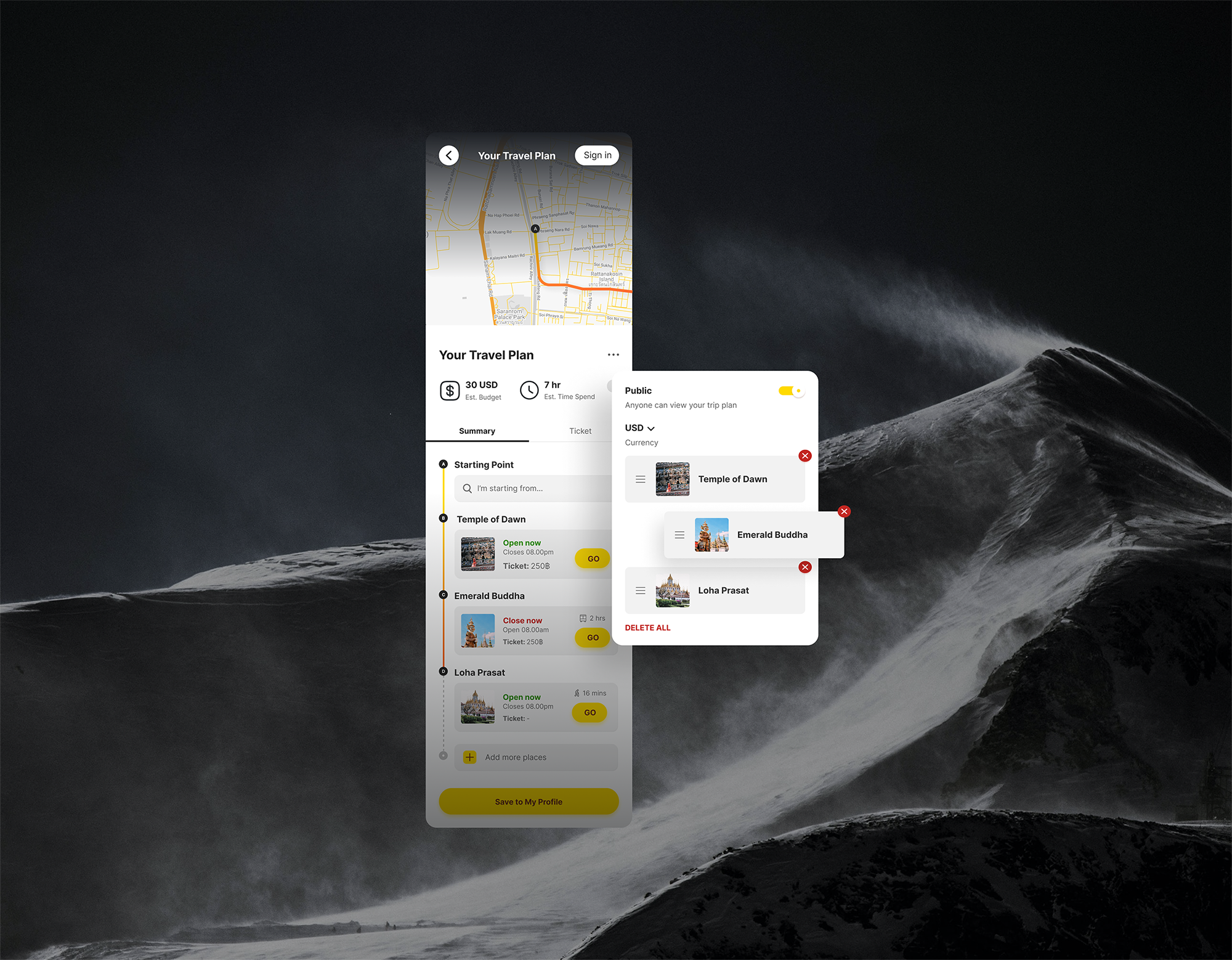
After picking the locations, users then navigate to this map page which shows the trip summary and route based on the location users selected.

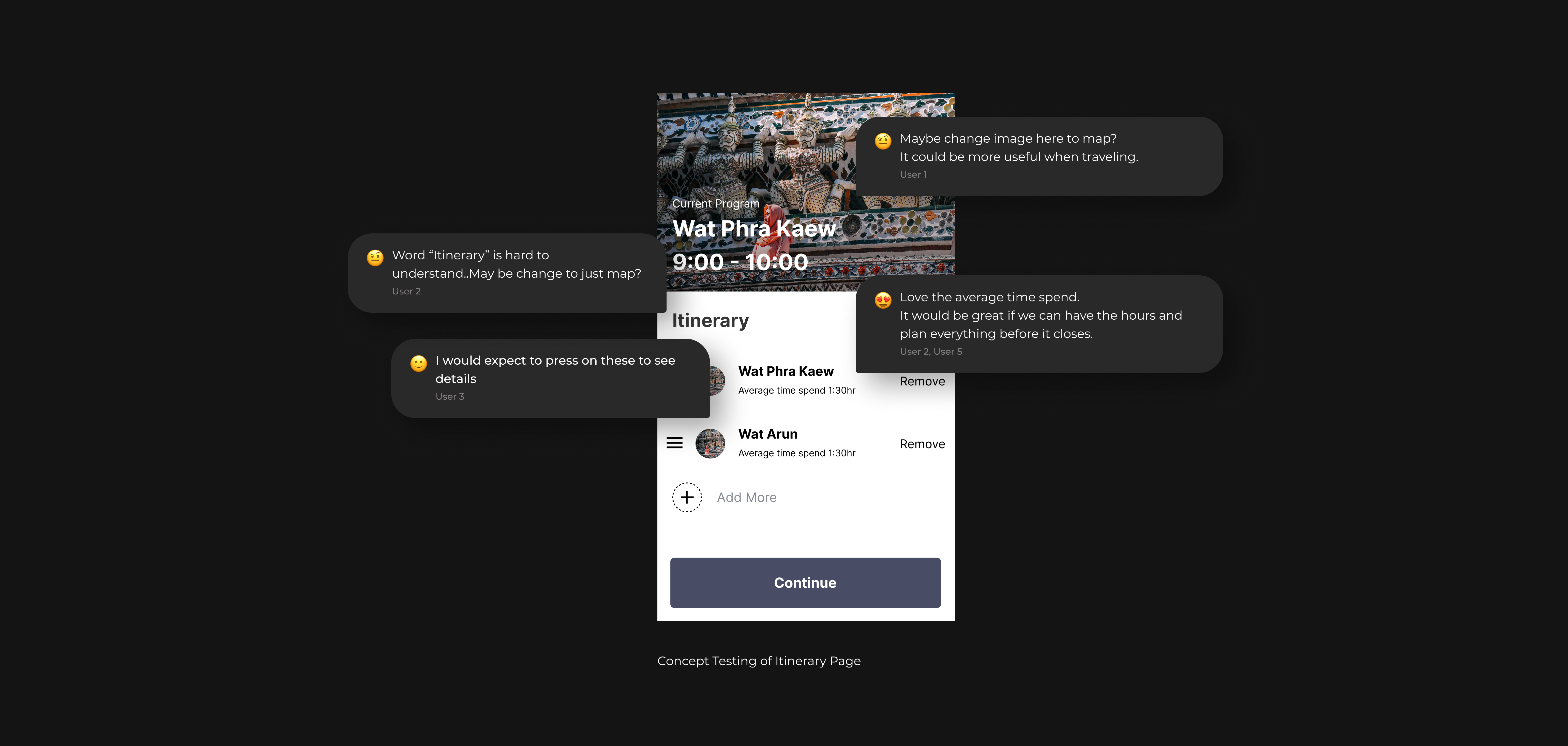
According to Concept Testing, users are actually love this page and there is no major usability issue in general. We only need to work on minor issues e.g. Edit UX Writing, Consider adding some information requested by the users.


After receiving users' feedback from Concept Testing, I have made some adjustments to this page. Apart from introduced Edit Mode to allow users to rearrange/remove/add their destination spontaneously, I've also included some vital information requested from the users e.g. Open/Close Status of each place, transportation, etc.

UI Documentation

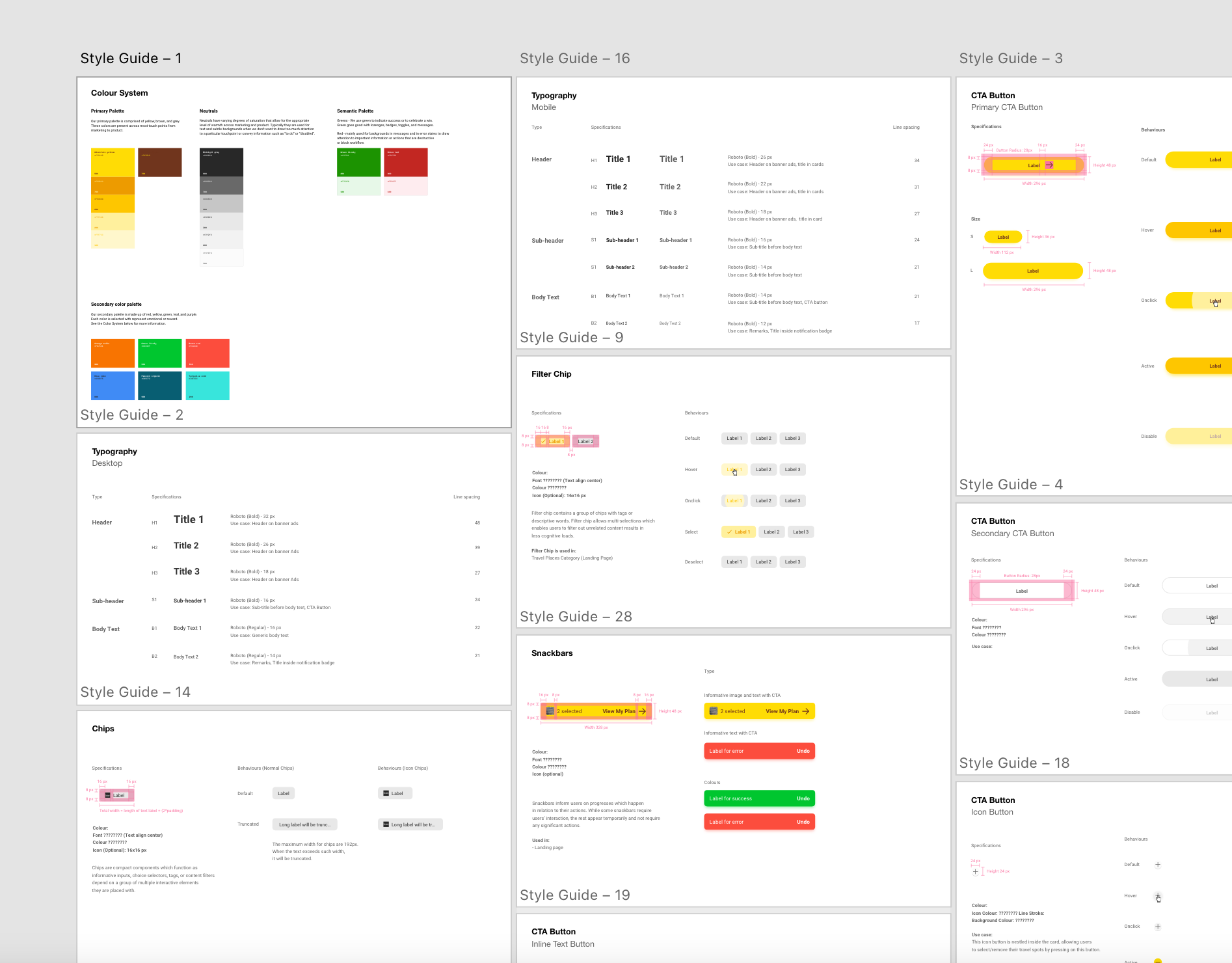
Sneak Style Guide

Apart from doing the UX/UI Design, I've created Style Guide and documentation of the component used across SNEAK platform. This could help smoothen a hand-off process and avoid friction in the future design.

Users' Feedback

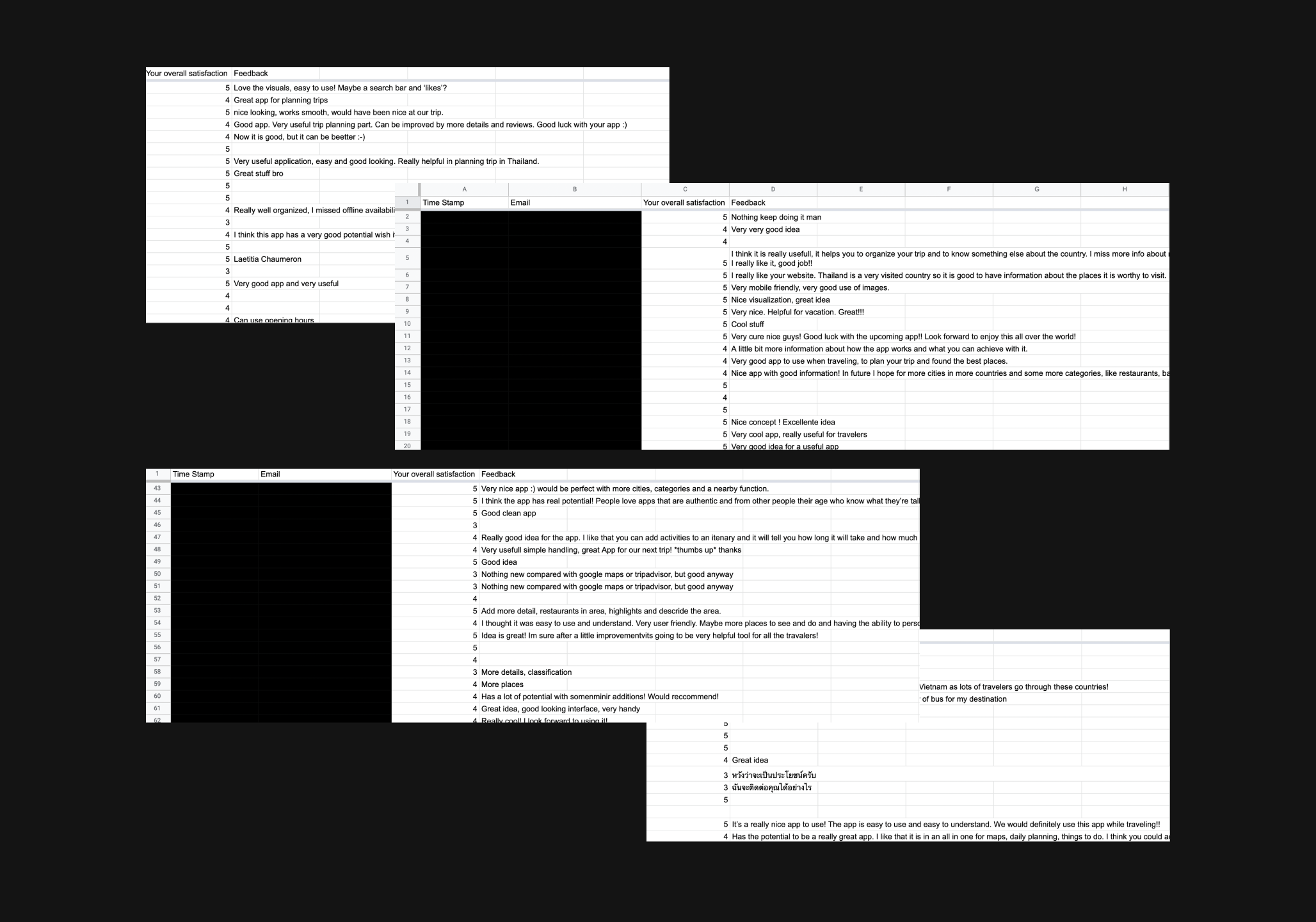
After the first launch of our MVP1, we approach the users at hostels and airport, and ask them to play with our app. Overall, SNEAK gets 4.8 rating on a Likert Scale of 5. Users feel satisfied with how the app works and look forward to using it sometime in the future.

Key Takeaway

As this is my very first project of UX/UI design, I've learned a lot on how the design thinking process runs by working closely with UX Designer.

Additionally, I also get to know the business aspect of the product as working along with the founders.